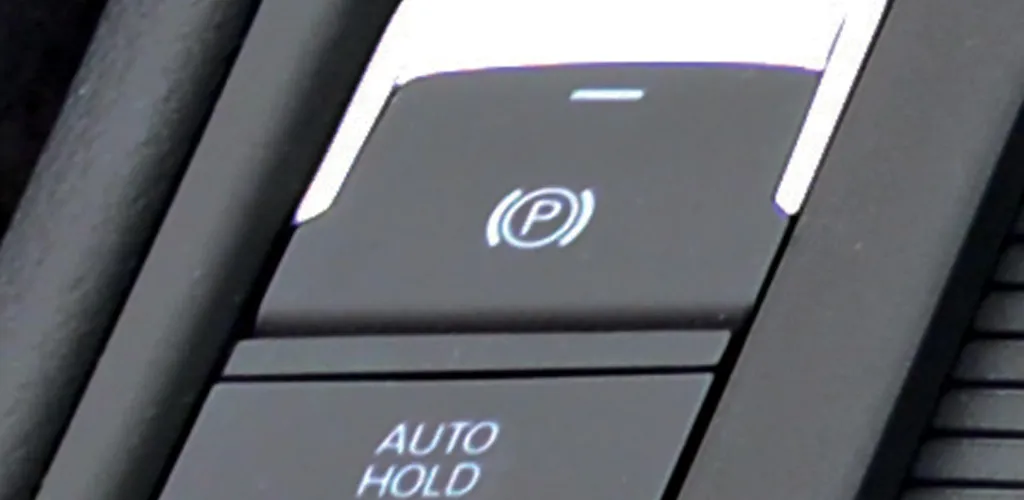

- Auto Hold keeps brakes engaged after stopping until you press the accelerator.
- Works in automatics and some manuals with electronic handbrake via ABS/ESP.
- Not the same as hill start assist; Auto Hold locks until accelerator restart.
- Auto Hold can be deactivated via a button near the handbrake; faults possible.
This feature is predominantly found in cars with automatic transmission (but recently, it’s also being installed in manual cars that have an electronic handbrake). It prevents the car from rolling downhill if you stop on an uphill slope and also helps at traffic lights, where you no longer have to constantly keep your foot on the brake pedal when the car is in Drive. The AutoHold function locks the brakes so the car only moves when you want it to and press the accelerator pedal.
This feature is also available for cars with manual transmission, but only when the handbrake is electronic.
Some general information about the Auto Hold button from Volkswagen
Auto Hold is an extension of the electronic handbrake system. It prevents accidental car movement backward when parked or when you’re on an uphill slope.
This means that you won’t have to continuously use the manual handbrake, check if you applied enough braking pressure, or worry about the car rolling backward as you prepare to start.
It’s convenient, more comfortable, and safer when the car needs to remain stationary with the engine running - for instance, when progressing slowly in traffic.
The system operates through the ABS/ESP hydraulic unit. When you brake to stop the car, the Auto Hold function maintains the brake pressure you last applied. Even if you lift your foot from the brake pedal, all the brakes for the four wheels will stay engaged.
If the ABS wheel speed sensors detect wheel rotation, the braking force automatically increases until the car comes to a complete stop. This situation might arise, for example, if you brake gently to stop on an uphill slope.
As soon as you press the accelerator again, and for manual transmissions release the clutch, the Auto Hold function reduces the brake pressure again.
The difference between hill start assist and Auto Hold
Although these two systems operate on roughly the same principle, they are two completely different things. Firstly, hill start assist is mainly used in manual transmission vehicles, helping the vehicle not to roll backward on a slope when you take your foot off the clutch and press the accelerator.
Auto Hold is used in automatic transmission cars and very rarely in manual ones, only those models with an electronic handbrake.
The Auto Hold function keeps the vehicle locked until you press the accelerator pedal, which can even last for several minutes. It’s essential to remember not to confuse this function with the handbrake, so remember to engage the handbrake when you leave the car.
Errors of the Auto Hold function
Some drivers complain that this function simply stops working or gets stuck. This error usually results from a poor connection or software issues. The best course of action would be to consult a mechanic and have the car tested to determine the exact cause of the problem.
Photo source: carbuyer.co.uk, practicalmotoring.com.au
Can Auto Hold be deactivated?
The autohold button is located next to the handbrake, near the brake activation button. It’s typically right behind that button. You can activate or deactivate autohold whenever you want.
Can I install Auto Hold on a car if it wasn’t factory-fitted?
Yes. It can be installed if the braking system allows it and can tension the brakes through the autohold system’s command. Besides, you will need to install a separate button for its activation and deactivation as needed.